


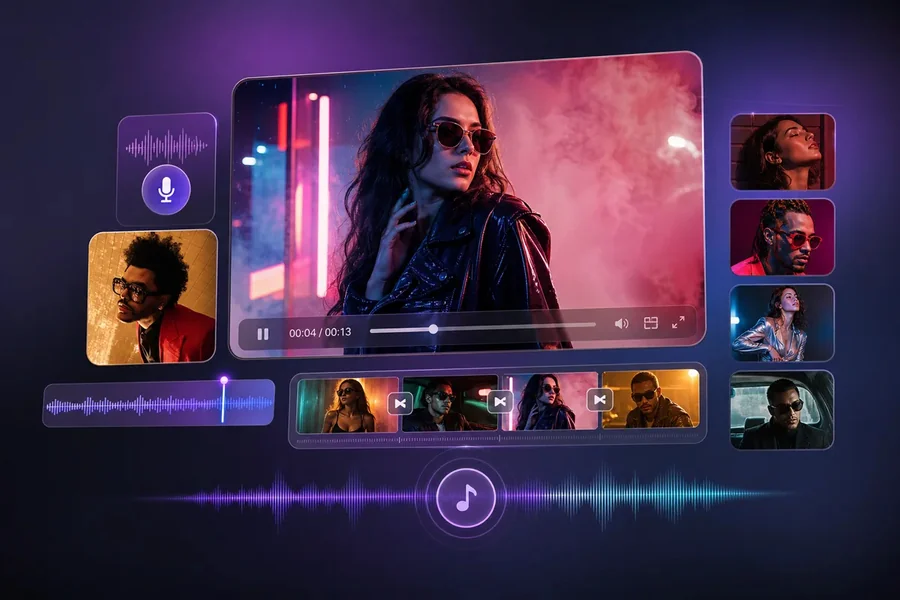
Video production used to demand cameras, lighting kits, editing suites, and hours of manual work. For small teams and solo creators, that setup often meant slow output and rising costs. The Seedance 2.5 AI video maker changes that equation by turning written prompts, reference images, and scripts into finished clips. Built into platforms like CapCut, it handles scene generation, voiceovers, and editing in one place. This article explains what the tool does, its main features, where it fits, and how it compares to traditional editing so you can decide whether it belongs in your workflow.
What Is the Seedance 2.5 AI Video Maker?
Seedance 2.5 is a text-to-video model that generates complete video sequences from your inputs. You describe a scene, upload reference material, or paste a script, and the system produces a clip with synchronized audio.
It first appeared on Dreamina and now runs inside CapCut’s video editor. That placement matters. You can generate a clip and then refine it with familiar editing tools without moving between separate applications.
The model works as standard functionality within CapCut’s free and Pro plans. Free daily credits let you test it, while Pro adds higher generation limits and premium output options.
Key Features That Set It Apart
The tool bundles several capabilities that previously required different software. Each one addresses a specific production bottleneck rather than adding features for their own sake.
- AI avatars: Over 100 digital presenters let you create talking-head videos without appearing on camera. You can also clone your own avatar from a short recording.
- Ready-made templates: More than 30 layouts cover news updates, tutorials, and educational content, giving structure to users without editing experience.
- Text-to-video generation: Paste a script, pick a style, and the system builds the visuals and pacing for you.
- Built-in brainstorming: A planning tool suggests topics and storyboard outlines when you are stuck on direction.
- 4K cinematic generation: Seedance 2.5 produces native clips up to 30 seconds at 4K resolution in a single pass, with a beta mode extending output to three minutes.
- R2V motion control: Upload green-screen footage or clay-render references to direct character movement and scene blocking instead of relying on text alone.
- Multimodal references: Combine up to 50 inputs, including photos, clips, music, and style guides, to keep characters and branding consistent.
- Intelligent Edit Mode: Adjust a single timestamp, object, or region without regenerating the whole clip, which helps preserve surrounding footage.
Together, these features reduce the number of tools you need to open for a single project. That said, results still depend on the quality of your prompts and reference assets.
Where the Seedance 2.5 AI Video Maker Fits
Different teams face different production problems. The tool applies across several common scenarios, each with its own practical payoff.
- Social media content: Short-form video for TikTok, Reels, and YouTube Shorts often needs high volume and fast turnaround. AI generation helps you produce more clips without expanding your team.
- Marketing ads: You can create product reveals and promotional spots from photos, which may reduce the cost of studio shoots.
- Product videos and ecommerce: Studio-style demos generated from existing images support faster listing updates and campaign variations.
- Educational content: Explainers and training material benefit from avatars, narration, and consistent formatting across a series.
The through-line is efficiency. When your bottleneck is output volume rather than creative direction, an AI video maker can help you clear the backlog.
How to Get Started
Starting with Seedance 2.5 follows a short, repeatable sequence. The steps below reflect the standard workflow inside CapCut.
- Open CapCut and select the model. Launch the web or desktop editor, navigate to AI video generation, and choose Seedance 2.5 where it is available in your region.
- Write your prompt. Describe the subject, setting, lighting, action, camera movement, and mood. Add a script if the scene includes dialogue.
- Upload reference assets. Include character photos, product shots, or motion references. Set your aspect ratio, resolution, and duration.
- Generate and review. Produce the clip, then check character consistency, motion, and audio alignment before moving on.
- Refine and export. Use Intelligent Edit Mode for targeted fixes, then apply captions, transitions, and music before exporting.
If you want to test the workflow directly, you can try the Seedance 2.5 AI video maker through CapCut and generate a first clip using free daily credits.
Expect some trial and error. Early generations may require prompt adjustments, and complex scenes often need reference footage to hold together.
How It Compares to Traditional Video Editing
Traditional editing gives you precise control over every frame, but it demands time, technical skill, and often a full production crew. That control comes at the cost of speed.
An AI video maker reverses the tradeoff. It prioritizes speed and accessibility, letting one person produce content that once required several. The compromise is less granular control, since you direct the model through prompts rather than manual keyframes.
For many projects, that tradeoff is acceptable. A social media manager producing weekly clips values turnaround over frame-level precision. A film editor finishing a client project may not.
The realistic approach is to treat these tools as complementary. You can use Seedance 2.5 to generate base footage and then finish in a conventional editor when a project calls for detailed manual work.
How Seedance 2.5 Stacks Up Against Other AI Tools
Seedance 2.5 is one of several AI video models on the market. Competitors like Runway and Pika also generate video from text and images, and each has its own strengths.
Seedance 2.5’s main practical advantages are native 4K output, synchronized audio in a single pass, and its integration inside CapCut’s broader editing toolkit. Because Dreamina and CapCut share the model, you can move from concept to a polished export without switching platforms.
That integration is worth weighing against feature depth. If your priority is a specific effect another tool handles better, compare outputs before committing. The right choice depends on your content type, budget, and how much editing you plan to do after generation.
Conclusion
Video creation no longer requires a full production setup for every clip. The Seedance 2.5 AI video maker generates 4K footage, avatars, and synchronized audio from prompts and references, then lets you refine the result inside CapCut. Its features suit social media, marketing, product, and educational content where output volume is the main constraint. It will not replace detailed manual editing for every project, and results depend on your inputs. Still, for teams looking to produce more content with fewer resources, it offers a practical starting point worth testing against your own workflow before you scale it up.
