


Ever wondered how to download your favorite digital media content using StreamFab DRM MPD Downloader? Unsure about the process and looking for a step-by-step guide? In this guide, we provide clear, concise steps on how to effectively use StreamFab DRM MPD Downloader and bypass these restrictions with ease.
What is StreamFab DRM MPD Downloader?
StreamFab DRM MPD Downloader is a tool that allows users to download MPD (MPEG-DASH) streams that are protected by the Widevine DRM. This program will decrypt the Widevine-protected DRM files and save them in a format that can be played on any device.
What are Supported Sites of StreamFab DRM MPD Downloader?
Support 100+video sites that are encrypted with MPD formats, some popular sites include:
- UKTV Play
- Channel 5
- jiocinema
- movistarplus
- tv
- DAZN
- mediaset.it
- docomo.ne.jp
However, the success rate of each site may vary from 80% to 98% and you may need the valid account before downloading from those sites. It’s worth noting that the StreamFab DRM MPD Downloader operates legally for personal use.
How to Use StreamFab DRM MPD Downloader?
With the following instructions below, you can easily download videos from any MPD sites you want.
Step 1: Start by downloading and installing the StreamFab application. Currently, the MPD service is for Windows computers only. But other VIP services like StreamFab Amazon Downloader support both Windows and Macbook.
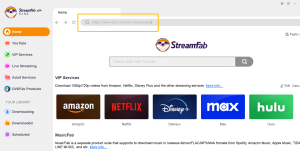
Step 2: Now, go to the video you want to download, copy the URL and paste it into search bar. The software will analyze the link. When it’s done, you’ll see the details of the video, including quality options. You can choose the one that suits you, then click ‘Download’.
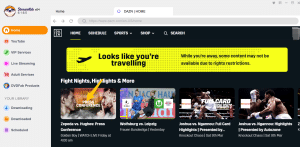
Step 3: The video will start downloading. You can check the progress in the ‘Downloading’ section. After completion, you can find the downloaded video in the chosen directory.
How Much Does StreamFab DRM MPD Downloader Cost?
StreamFab DRM MPD Downloader offers different price points tailored to meet the specific needs of its users. If you’re looking for unrestricted, lifetime access to all features, the cost is $119.99. This is a one-time payment granting you perpetual usage. However, if you’d prefer a shorter-term option, there’s a monthly package available for $64.99.
This works well for those who need the service on a temporary basis. For individuals unsure about committing to a payment, StreamFab DRM MPD Downloader offers a 30-day free trial. This allows potential customers to get a taste of the software before making a monetary commitment.
Users’ Review about StreamFab DRM MPD Downloader
Muhammad:I started using StreamFab DRM MPD Downloader a few months ago as I needed a software to download DRM encrypted files that I purchased legally. This tool ticks all the boxes. The downloading speed is impressive and it retains the original quality of the files, which you often lose with other tools. Furthermore, it’s even able to extract subtitles and meta information.
Vincent:StreamFab DRM MPD Downloader is a real game changer for me. Previously, I spent a lot of time trying to download DRM files from JioCinema. This tool makes it easier and faster without compromising on the quality. Plus, being able to download videos in batches helps save a lot of time. It’s intuitive to use and doesn’t require any technical knowledge. A great product indeed!
Luis:The StreamFab DRM MPD Downloader has transformed the way I download and view multimedia files. It’s specifically designed to easily download MPD videos to MP4 with a single click, retaining the original quality of the audio and video. I appreciate the multi-language subtitle download option and the fact that my files are safely and legally downloaded. Would highly recommend it to those who want avoid cumbersome and time-consuming downloading processes.
FAQs
- Is StreamFab DRM MPD Downloader free?
The StreamFab DRM MPD Downloader offers a free trial version for users. But to enjoy the full features of the software, including unlimited downloads and premium support, you need to subscribe to its premium service.
- Is it legal to use StreamFab DRM MPD Downloader?
The legality of using DRM removal tools like StreamFab DRM MPD Downloader depends on where you live. In some places it’s legal for personal use or under fair use laws, but in others it might be against copyright law. Therefore, you should understand your local laws before using such a tool.
- What are the system requirements for StreamFab DRM MPD Downloader?
The software requires Windows 10/8.1/8/7 (32/64 bit) or macOS 10.10 – 11.3. A good internet connection is needed for downloading videos. The hardware requirements include a Core 2 Quad or above processor, 2GB RAM or above, and 10GB of free hard disk space or above for storing the downloaded videos.
