


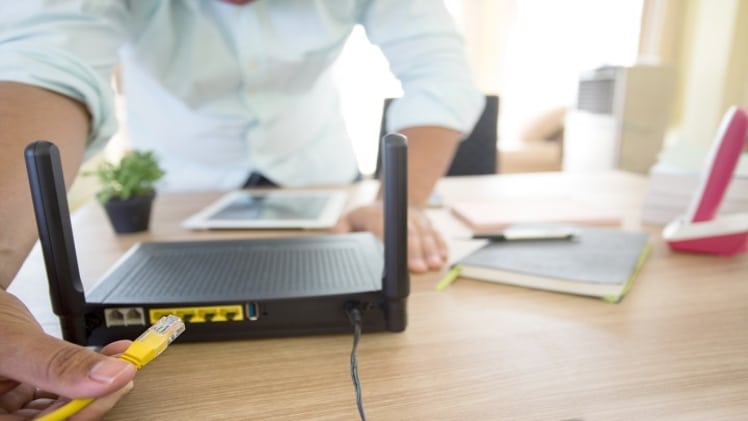
What’s the craziest stunt you’ve pulled to get a decent Wi-Fi signal? Have you ever leaned against the neighbor’s wall all night to use their Wi-Fi, ordered coffee at a café just to get their Wi-Fi password, or set up your workstation at a public hotspot because the internet at your place was down?
You wouldn’t be wrong if you say that Wi-Fi is as vital as oxygen to human life today. If the Wi-Fi at work or home isn’t working, you’re left behind on tasks and stress levels hit the roof. No matter where you’re from or what language you speak, the craving for Wi-Fi is mutual.
If you’re considering shifting to a more reliable internet service provider (ISP) for better Wi-Fi access around the house, we recommend Xfinity; contact Xfinity Customer Service to inquire about internet plans and pricing today.
Before you call your ISP’s helpline to file a complaint, you can try resolving some common Wi-Fi issues on your own. Let customer support be the last resort because these easy hacks work like a charm (most of the time).
Top 5 Wi-Fi Issues
- No Connection
- Connected, but not Online
- Too Slow
- Dead Zones
- Forgotten Password
1. No Connection
So, the router is on and everything looks fine, but you’re getting no Wi-Fi signals. Your Wi-Fi connection isn’t even showing up in available networks, and that’s frustrating. Did you try turning off the router and turning it on again? (Not kidding). If not, that’s the first solution on the to-do list; if that doesn’t work, we move forward.
Remember to wait for about a minute between turning off and restarting your internet device. Wait to see if all the lights on the router are the right color (usually green and blue); a red light usually indicates the presence of an issue from the ISP.
You can also try updating and restarting your phone or other mobile device you are using. If the Wi-Fi network still doesn’t show up, this could be a hardware issue or backend problem. You may need to replace your router to restore Wi-Fi signals around the house.
2. Connected, but not Online
Sometimes your device is showing a strong signal and all, but your apps/browsers are telling you that you are offline. What to do when you’re connected without the internet? When this happens, your connected gadgets are highly unlikely to be the problem.
Check the lights on your router; if the one near the antenna is blinking or showing the wrong color, turn it off and restart it shortly. Sometimes routers glitch and need to reboot in order to install updates and reinstate functionality.
If the reboot doesn’t make a difference, your neighborhood may be suffering an internet outage. Your ISP could be conducting maintenance work; check for notices you may have missed in your inbox. Another reason to be offline despite a strong Wi-Fi signal is that you didn’t pay the internet bill; the ISP may have temporarily suspended your service due to outstanding dues.
3. Too Slow
If your Wi-Fi is working, but slower than usual, one of several possible reasons may apply. Today internet is faster than ever, but no technology is foolproof, so it may not constantly live up to your expectations.
If the Wi-Fi signal is weak, the foremost and straightforward explanation would be that you’re a bit out of range. Move closer to the Wi-Fi source or bring it near you if it’s portable. You may consider installing Wi-Fi extenders around the house to increase its reach and strengthen the signals in every room.
The second most plausible cause of slow Wi-Fi is that your internet bandwidth is stretched thin. This means that too many active devices are connected to the Wi-Fi, so speed and data are unevenly distributed. You may disconnect devices that are not in use, which will free up some bandwidth and improve speed.
Someone outside the house could be leeching off your Wi-Fi as well, so you must ensure that your internet connection is secured. You can get rid of intruders by changing your Wi-Fi password to a complex one that is impossible to guess.
4. Dead Zones
Thick walls and unconventional room layouts often lead to Wi-Fi dead zones around the house. For instance, the signal was good and everything was working fine on your connected gadget, but then you moved several feet away and the Wi-Fi was gone.
If that has happened to you more times than you can remember, changing the position of the router might help. Place it someplace high if it’s closer to the ground, or move it to the center of an open space if the current spot is cornered or confined.
Placing the Wi-Fi device near metallic and electronic devices can also cause interruption. Adding Wi-Fi extenders to the setup or using an ethernet mesh network can also help resolve the issue.
5. Forgotten Password
If you recently upgraded to a new phone or reset your mobile device, you will need to type in the Wi-Fi password to reconnect. Not a big deal if you have the password memorized, but if you assigned it ages ago and didn’t bother to write it someplace safe, that’s another problem.
Any other personal computer or laptop connected to the Wi-Fi network can help you retrieve the password. If you have Mac or Windows installed on your computer, you can get the password by navigating to the Network and Sharing Center from the control panel.
Select your Wi-Fi connection name, go to Wi-Fi status, and then click Wireless Properties. In the properties, you select the Security Tab and check the box for ‘show characters’ beside the Security Key, which is an alternate name for the Wi-Fi password.
Before you Go
Wired internet connections are a lot more stable, fast, and reliable compared to wireless internet. If you require consistent and high-speed internet, we suggest you switch to ethernet instead.
